Subway transfer game
Transfer War
What is Transfer War?
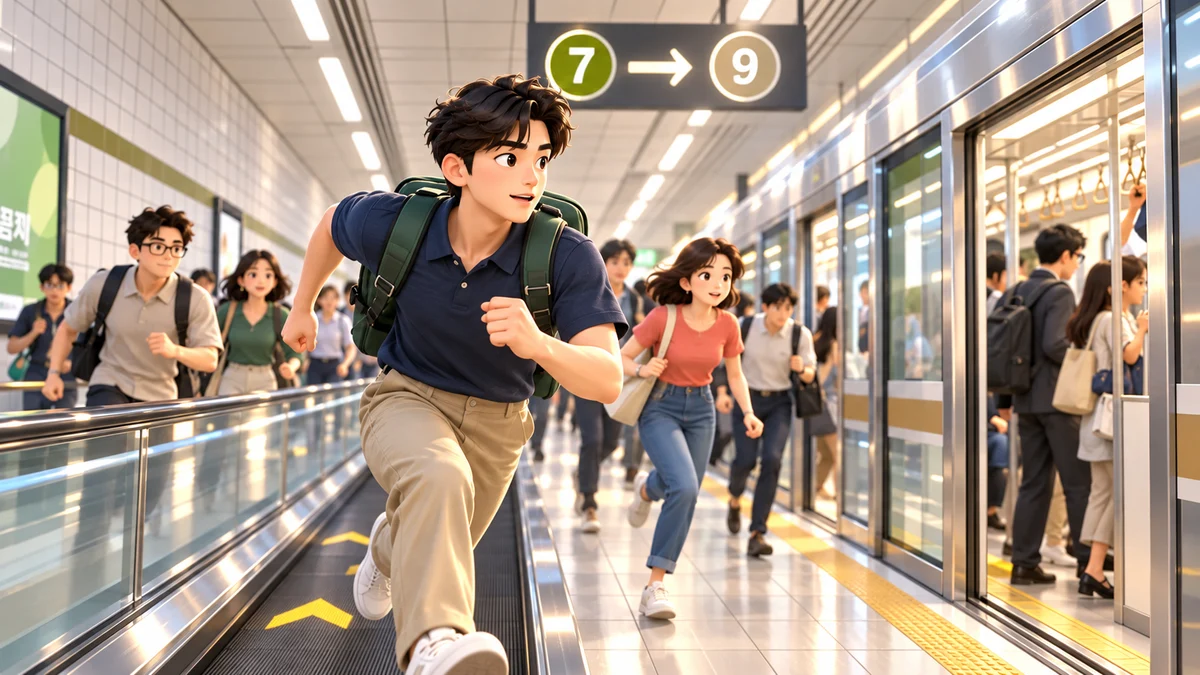
Transfer War is a free 3D browser game set in real Seoul subway transfer stations. It starts the moment your train doors open: read the signs, find your own way through the crowd and get inside the connecting train before its doors close. No install or sign-up — it runs in desktop and mobile browsers, in Korean and English.
Transfer distances and times come from Seoul Metro’s published transfer data on Korea’s public data portal, and escalator heights and lengths from Seoul Metro’s equipment data. Station layouts are rebuilt from public sources for the game, so details can differ from the real stations.
Which stations are there?
- Express Bus Terminal, Line 7 → Line 9: a 314 m transfer, 4 min 22 s in real life, with two long moving walkways — the hardest route.
- Jongno 3(sam)-ga, Line 1 → Line 5: 312 m, crossing above the Line 3 platform on a long moving walkway and down deep escalators.
- Dongdaemun History & Culture Park, Line 2 → Line 5: 234 m, walking the full length of the Line 4 platform down to the fifth basement level.
- Practice Station: a short course to learn the controls.
How to play
- Pick a station, a crowd level (Quiet, Busy, Rush hour) and your hero, then press Board the train.
- When the announcement ends and the doors open, move with WASD or the arrow keys (a joystick on phones). Drag to turn the camera.
- Follow the transfer signs, the wall guides and the line-coloured floor arrows. Only escalators with the green “board” sign go your way.
- Hold Shift to run — faster, but it costs stamina. Walking recovers slowly; standing still or riding an escalator recovers faster.
- Bump into someone? Press Space to say sorry right away, or the glares add seconds.
- If the connecting train is packed, hold Shift at the door to push your way in. Be inside when the doors close to make it.
Crowds and surprises
Busier crowds fill the corridors and a train on the far track sends waves of people your way. Others late for the same train run up behind you and shove past, and running down the stairs can make you trip. Now and then someone grabs your arm to ask “Do you know the Tao?” — press Space to say no politely and get away.
Records and grades
Board before the doors close to earn an S, A, B or C grade for your time, compared with the real transfer time. Your personal best is saved in this browser only and does not sync between devices.
Similar games
Try the 3D flight racer Dust Runner and the toy-track Mini Racer. More in the MEINPLAY library.
Read the signs, manage stamina and navigate the crowd
Start at the practice station or a quiet crowd setting to learn running and apologising. Public transfer distances and facility data inform the game, but station layouts are adapted for play. Game times are not journey-planning advice.
Frequently asked questions
Is it free? Do I need to install anything?
It is free and runs in your browser with no app and no account. As a 3D game it may take a few seconds to load the people and the station the first time.
Is it exactly like the real station?
Distances, times and escalator heights follow public data, but corridor layouts and step counts are rebuilt for the game. Please don’t use it for real directions.
Does it work on phones?
Yes. Touch the left side for a joystick and use the buttons at the lower right to run and apologise. 3D performance depends on your device.
How do I get onto a packed train?
Stand at the door and keep moving inward while holding Shift (the Run button on phones) to push in. Pushing burns stamina fast, so save some.
Which route is the hardest?
Express Bus Terminal, Line 7 → Line 9 at Rush hour. The walkway corridors are packed, bumps are frequent and the time limit is tight.
How do I recover stamina?
Walking recovers it slowly; standing still or riding an escalator recovers it faster. Save some for pushing into a crowded train at the end.
What should I do after bumping into someone?
Press Space to apologise on desktop, or use the mobile apology button. Failing to apologise adds a time penalty.