EVERYONE’S TOWER
Everyone’s Tower
An endless tower everyone builds, one floor at a time.
Climb to the top and the next floor is yours to build.
Climb someone else’s floor, then leave one of your own
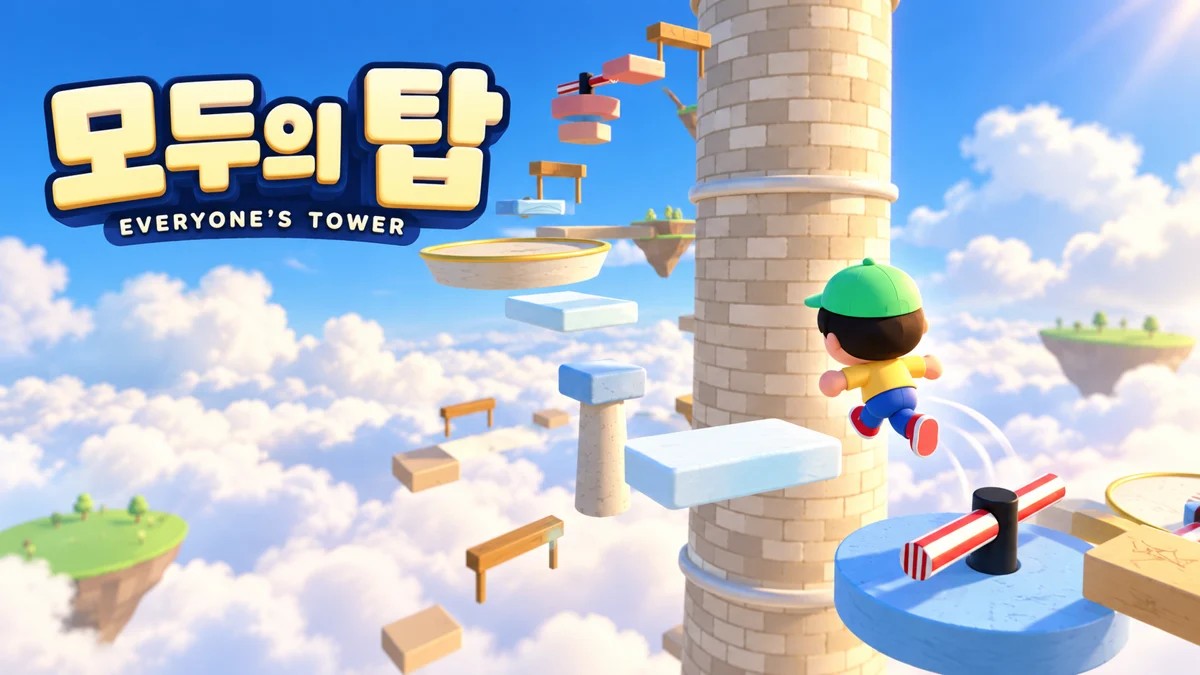
Everyone’s Tower is a free browser game where you jump between platforms, reach the summit and build the next floor yourself. The first 14 floors are a starter course made by MEINPLAY; above them are floors completed by visitors. Take turns climbing and building to help the same tower grow.
Visitor-built floors show their builder’s name tag and shared fall and clear counts. Counts on the starter course are your own records. New completed floors appear while you play when you are connected.
PC and phone controls
PC: Move with WASD or the arrow keys and jump with Space. Hold for a higher jump or release quickly for a shorter hop. Drag the mouse to turn the camera; R restarts from the beginning.
Phone: Move with the left joystick and use the jump button on the right. Drag the screen to look around at nearby platforms.
There are eight part types: stone blocks, narrow pillars, balance beams, moving platforms, spinning bars, spring pads, crumbling blocks and ice slabs. A long fall can briefly slow you down; falling below the ground restarts the climb.
How to build your floor at the summit
1. Reach the summit. Stand on the top landing and choose Build a new floor. Select from eight part types and place up to 12 parts.
2. Connect the platforms. Green circles help you judge reachable positions. After placing a part, the next placement height rises by 1.2 m by default. Adjust it with the raise/lower buttons, or Q/E and the mouse wheel on PC. Rotate and undo to refine the route, then check the landing-reachable indicator.
3. Test the climb. You must climb your route and reach the next landing to complete it. The guide alone does not guarantee a successful jump. If you fall, adjust your parts and test again. A completed floor is added to the shared tower.
If several people build the same floor, the first completed floor is added. If another floor goes up first, your draft moves to the new summit so you can keep building.
FAQ
Is it free? Do I need an install or account?
It is free and starts in your browser without an install or sign-up. Your animal name tag comes from a fixed word list, and you can shuffle it on the build screen.
Do my records carry over to another device?
Published floors are shared with other visitors, but your best height and personal records are stored in this browser. They may not carry over to another device or browser, or after clearing browser storage.
Can I edit or remove a published floor?
A completed floor cannot be edited or removed from the play screen. Before publishing, use rotate and undo; on PC, right-click to delete a part.
What if the shared tower does not connect?
Only the starter course may appear if the connection fails. An internet connection is required to publish a floor. Check the in-game connection message and reopen the page once your network is available.
Can kids play?
Players use preset name tags and parts, with no free-text chat or name field. Jumping and camera controls take practice; start with movement and short hops on the starter course.