Typing World
Practise, play, and travel by typing.
Measure your speed, learn the keys, work through a passage, or try dictation. Then take your typing into a battle or journey.
Choose your next typing session.
7 activities

Typing Speed Test
Free 1-minute typing test: see your WPM (or Korean KPM), accuracy and grade instantly, track your history and climb today’s leaderboard.
Explore
Keyboard Practice
Free touch typing practice with an on-screen keyboard that shows the next key and finger: home row, top row, bottom row, numbers, words and sentences.
Explore
Long-Text Typing
Type classic public-domain texts line by line — the Gettysburg Address, Shakespeare’s Sonnet 18, Alice in Wonderland — with WPM and accuracy.
Explore
Dictation
Free listen-and-type dictation: hear a sentence, type it, and get instant spelling feedback on tricky words like their/there, necessary and accommodate.
Explore
Typing Battle
Type the words the monster throws to counter-attack. A sentence boss appears every 10 levels, and your score goes to the global leaderboard.
Explore
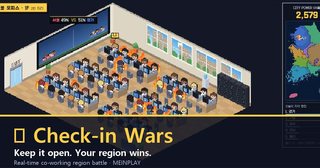
Map Travel
Travel across real administrative maps of Korea, typing place names from your neighbourhood up to provinces. World mode covers countries by continent.
Explore
Space Typing Practice
Warp from the planets to distant galaxies by typing their names, then draw constellations star by star. Star positions follow real sky coordinates.
ExploreChoose the part you want to practise
Start with Key Practice to find finger positions or Speed Test to check your current pace. Long Text builds continuous sentence input; Dictation asks you to listen and type accurately. Typing Battle adds game situations, while the map and space journeys use place names and celestial names.
Compare accuracy as well as speed
Begin slowly and notice which keys or phrases cause mistakes. On the next attempt, focus on that part before comparing speed and accuracy. Modes use different texts, timing and rules, so their records are not directly interchangeable. A score is not proof of a learning outcome.
Before entering text
Check your keyboard language and select the input field. A physical keyboard is generally easier for continuous practice. Check playback volume for Dictation; choose Long Text or Key Practice when sound is inconvenient. Instructions on each page explain submission, supported languages and saving.
Frequently asked questions
Does a higher speed always mean a better attempt?
Mistakes and test conditions matter too. Compare attempts in the same mode while keeping accuracy in view.
Can I use a phone keyboard?
Some experiences accept on-screen keyboards, but that is different from physical-keyboard practice. Check the controls and recommended device on the activity page.
Is the space journey a 3D space simulator?
Here it is a typing experience using celestial names. For 3D celestial models and observation images, find SIDEREAL in Tour World.